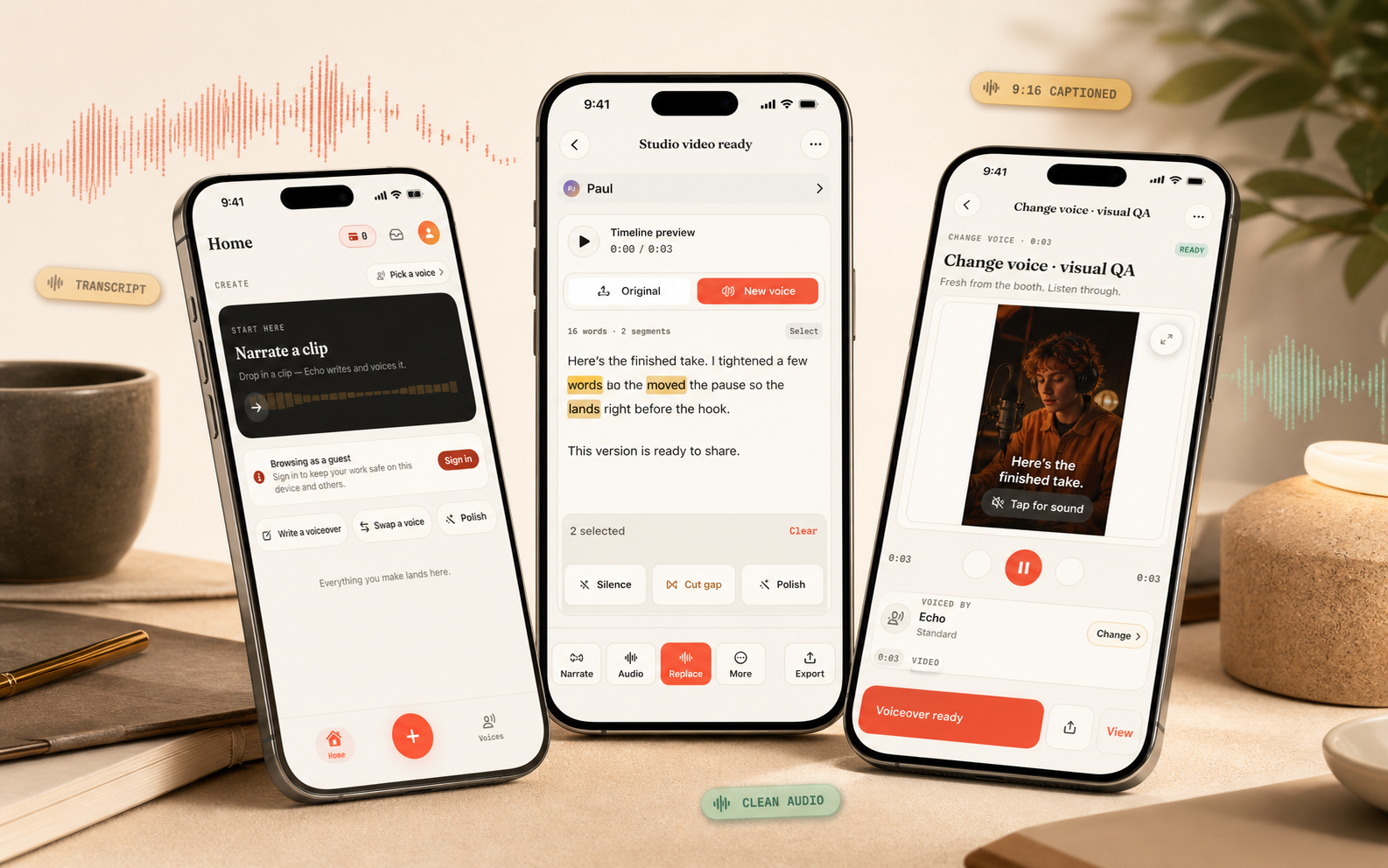
Script to take
Paste a script or start from a recorded/imported take.
Transcript-first iPhone studio · Now on the App Store
A full AI voiceover studio where the transcript is the timeline. Record or import a take, cut words, revoice only the phrase that needs help, and export clean audio or a captioned 9:16 clip from iPhone.
One studio, one timeline
Voice Over AI Studio is not a recorder with a pretty button. It is a production loop: start from a script, a raw take, or a video; edit the transcript; repair only the sections that need work; then export something usable.
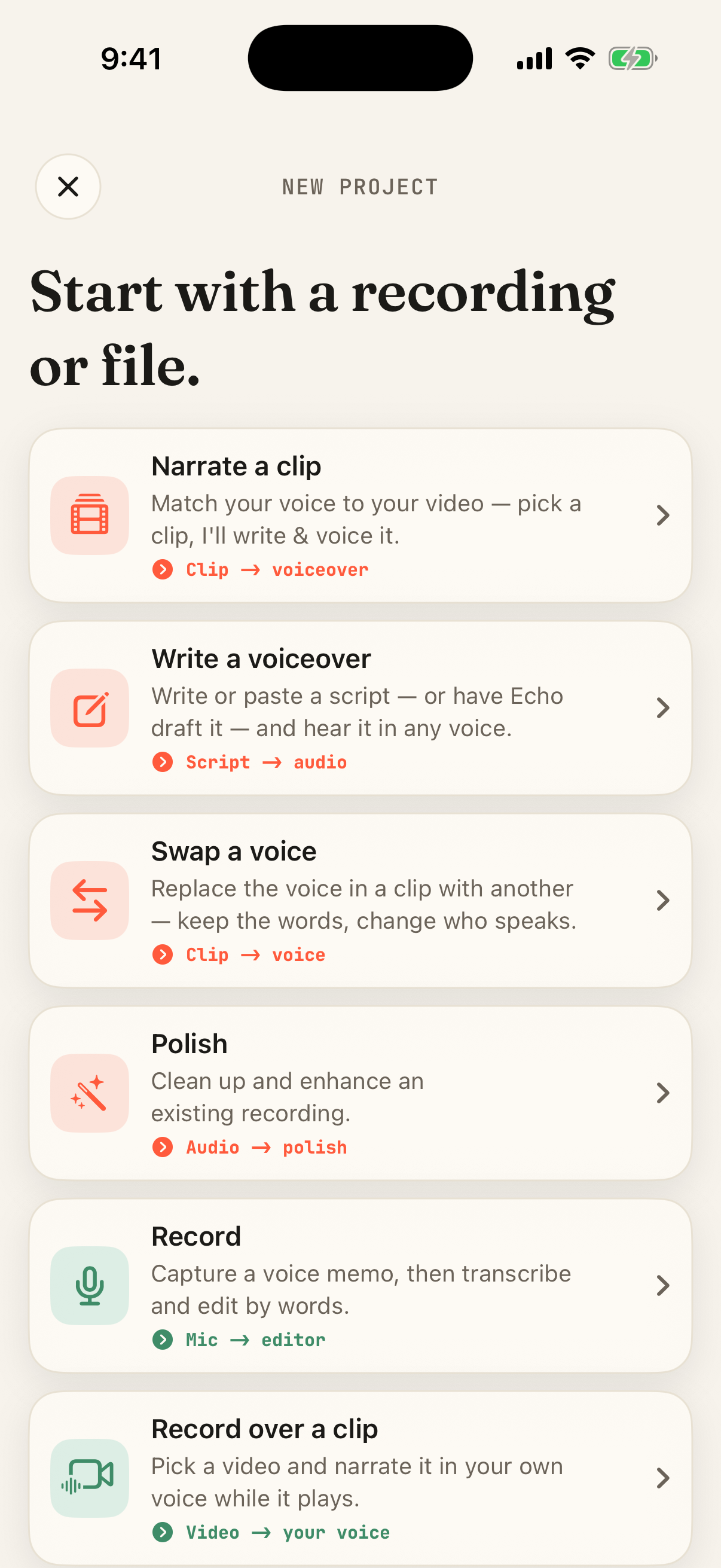
Platform capabilities
Most voice tools stop at generation. Voice Over AI Studio wraps the whole job: creation, transcript editing, section repair, voice choice, video output, project history, and consent-aware voice reuse.
Paste a script or start from a recorded/imported take.
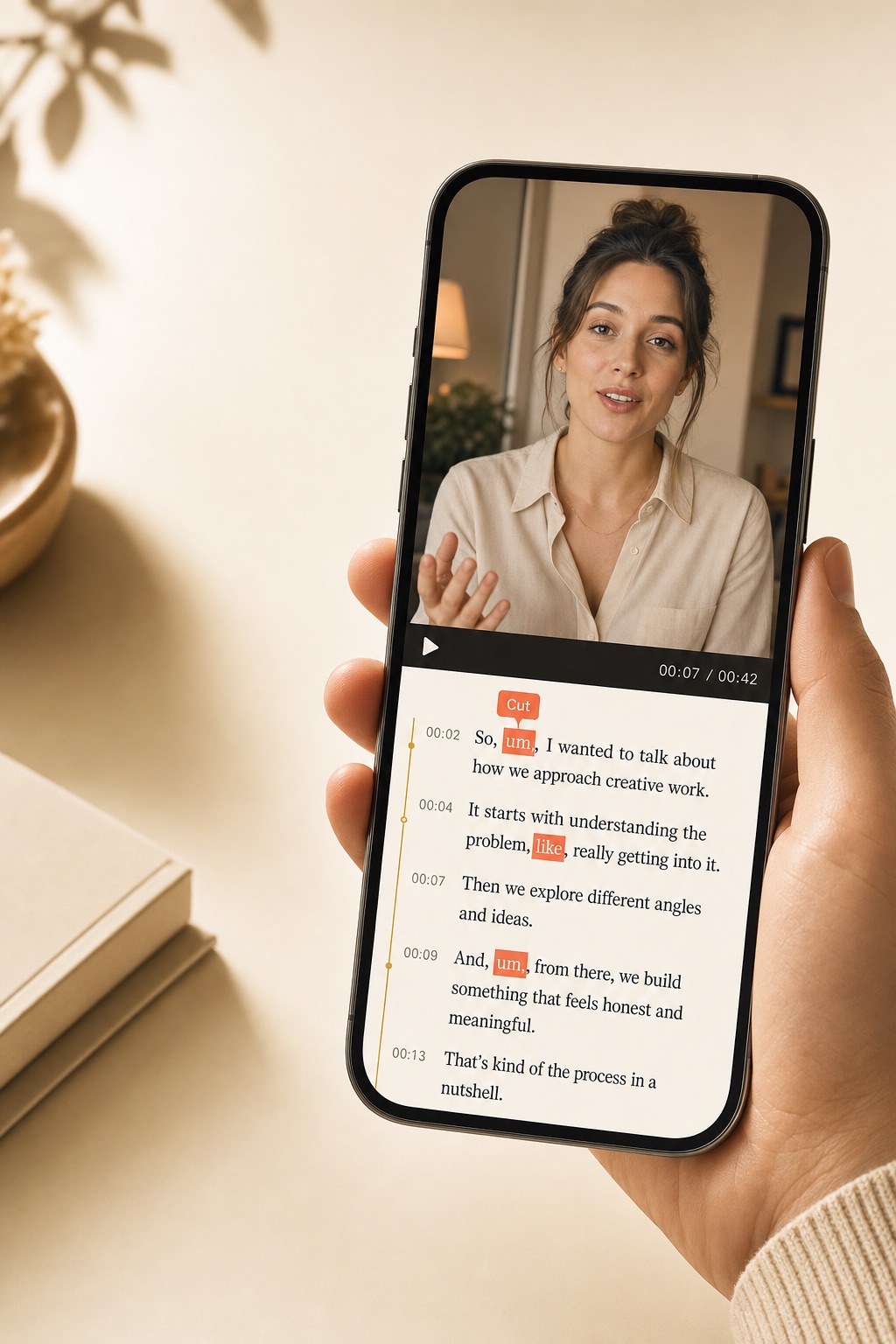
Remove words, filler, pauses, and dead air from the text surface.
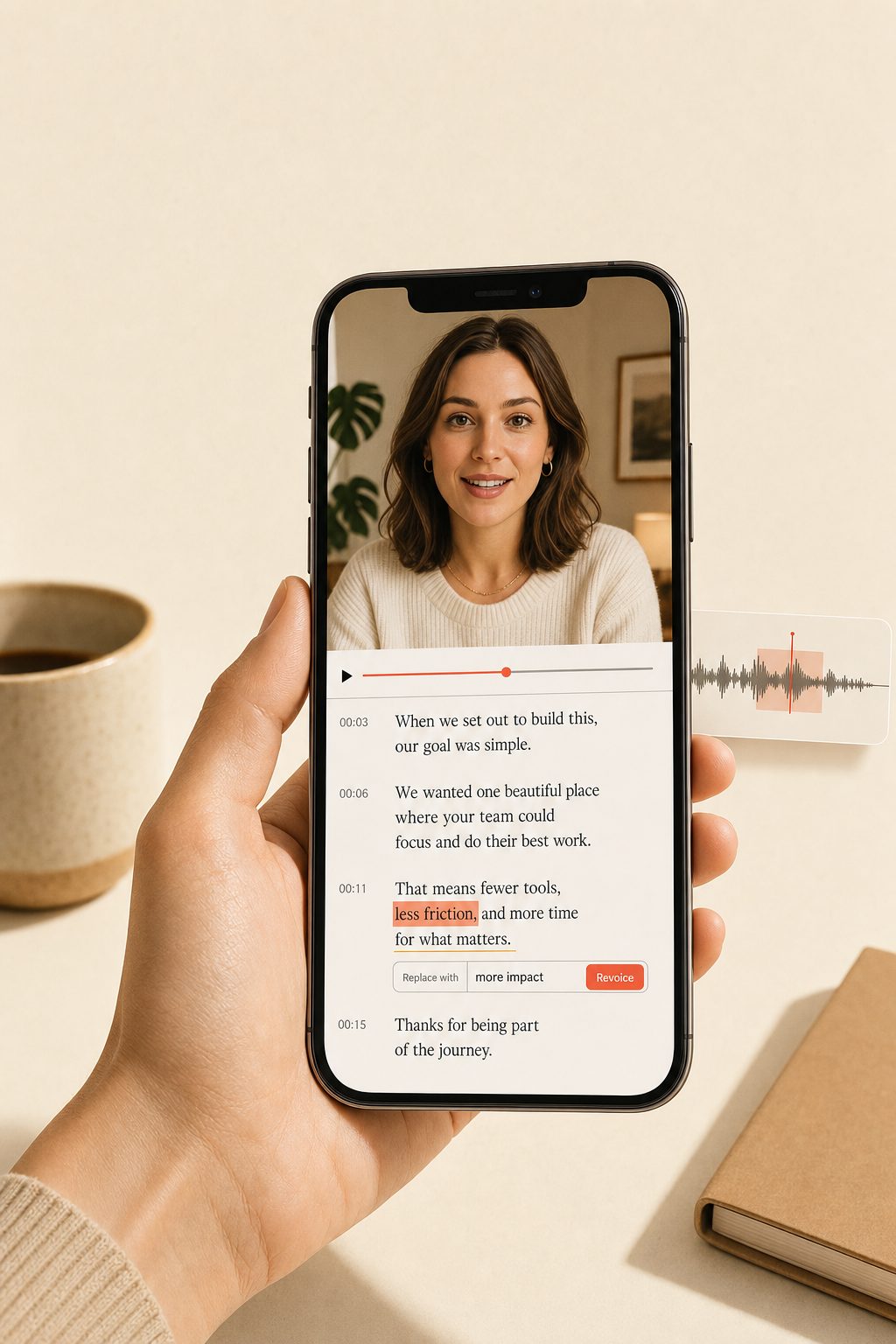
Polish or revoice one selected phrase while the rest stays intact.
Deliver clean audio or captioned vertical MP4 from the same workflow.
The editor model
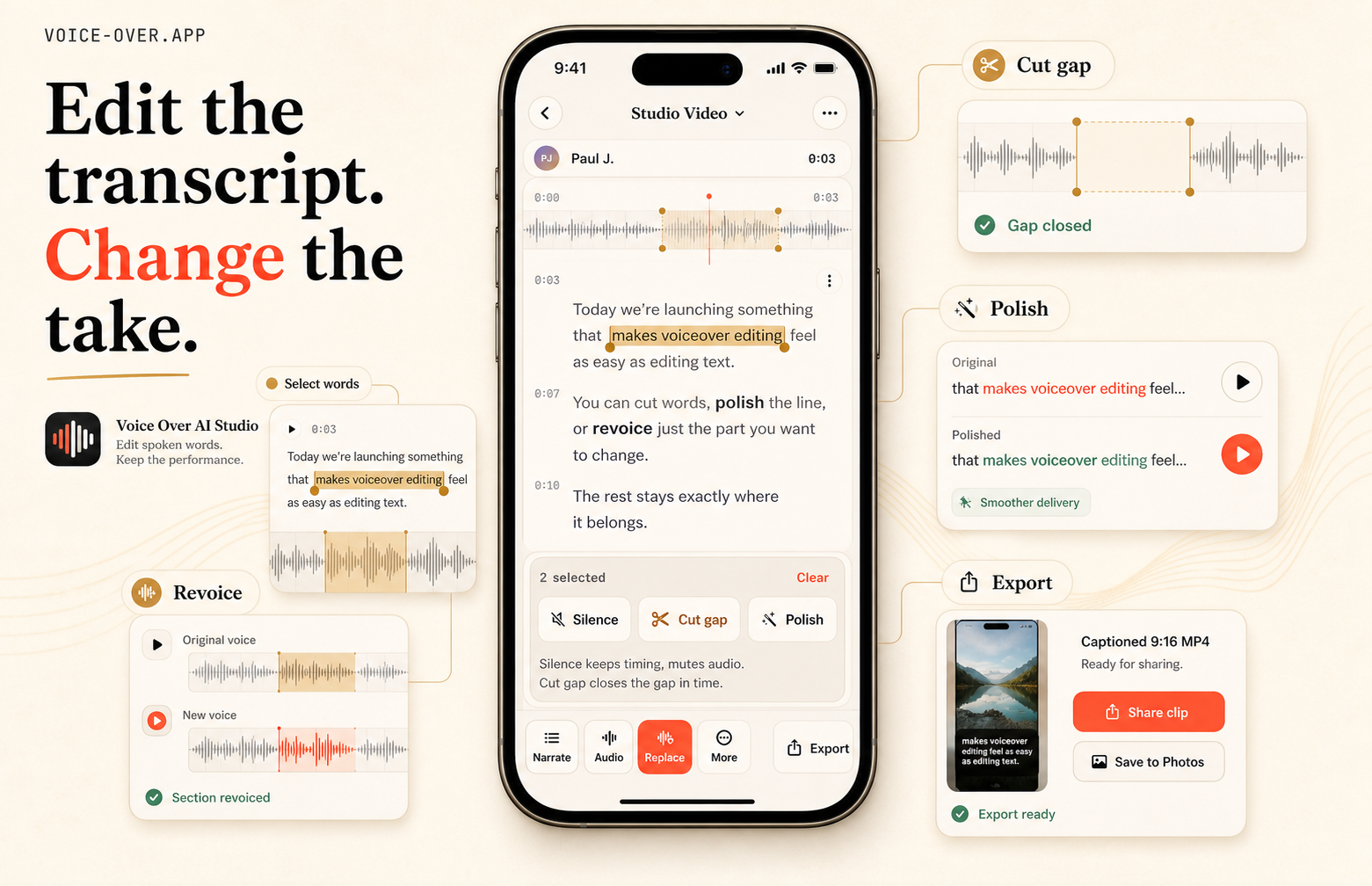
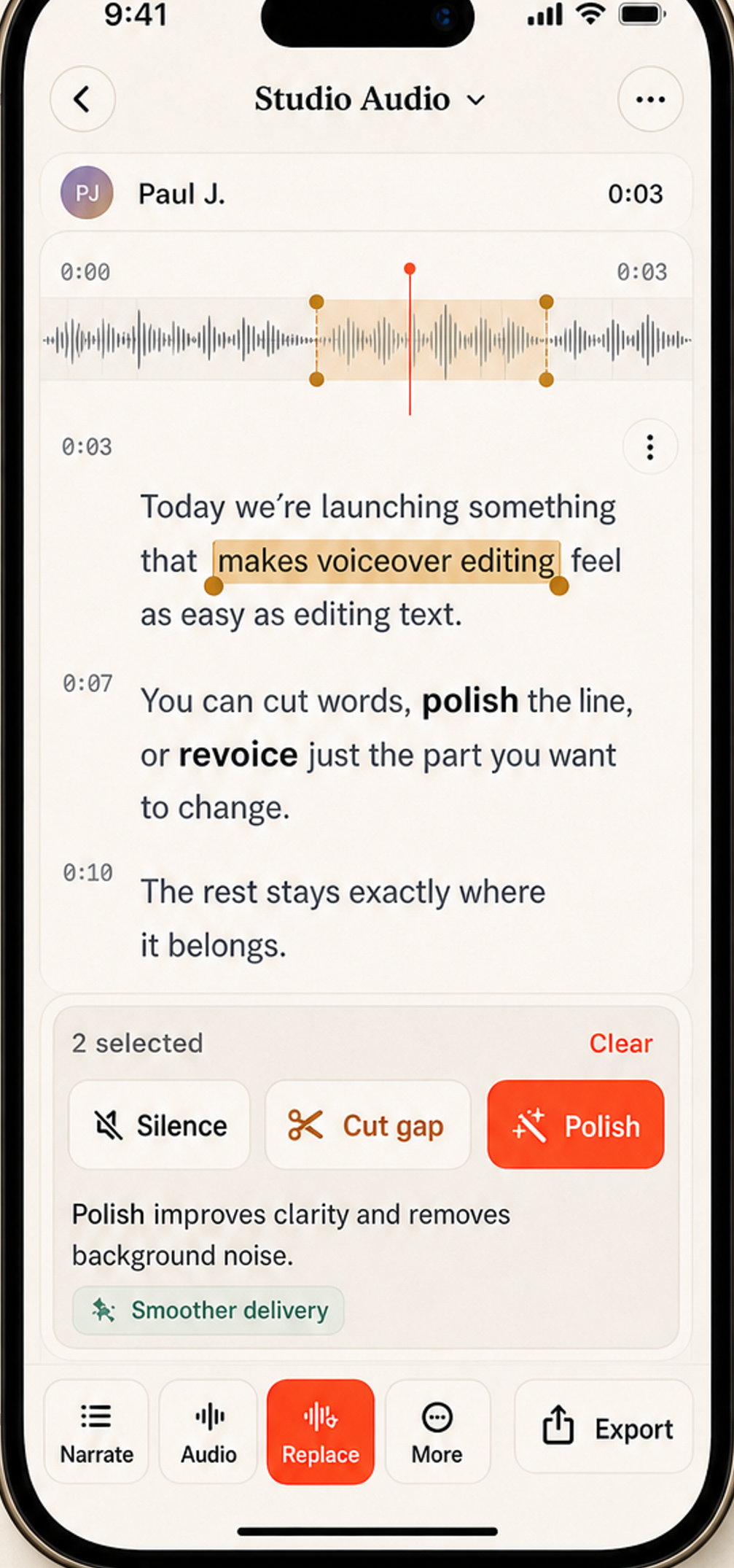
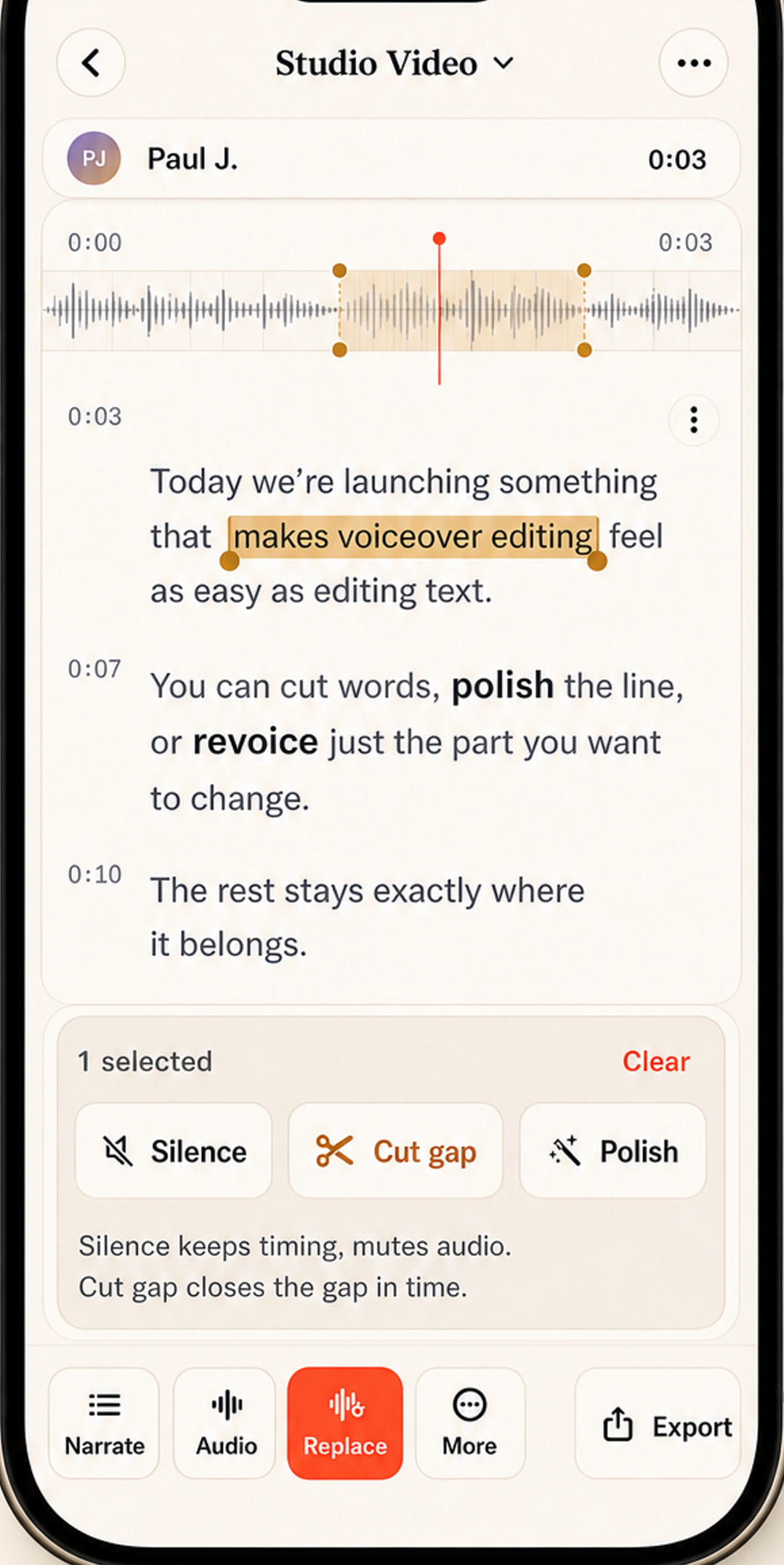
Your spoken words become the control surface for the audio. Select a phrase, close the gap, polish the line, or revoice that section while the rest of the take stays put.
Silence keeps timing · Cut gap closes the space · Revoice swaps the phrase.
This is the actual editing model — your words are the handle for the audio.
How it works
Four steps, one thumb — using the real in-app vocabulary: Silence, Cut gap, Polish, Revoice.
Capture a take on iPhone or import audio and video from Files or Photos. An automatic transcript appears.
Record · Import
Tap words to seek, select a phrase, then Silence to mute, Cut gap to remove and close it, or Polish the line.
Silence · Cut gap · Polish
Change just the section that needs a new or cleaner read — not the whole performance.
Revoice · section-only
Share clean audio or a captioned 9:16 MP4 straight through the iOS share sheet.
Clean audio · 9:16 MP4
Who it helps
Short-form creators, founders, educators, operators, and teams all hit the same wall: one bad sentence should not mean recording the whole piece again.
Cut filler, repair one awkward phrase, export a captioned vertical clip, and post without moving to desktop.
Write the script, generate or record the read, then polish the moments that feel flat or rushed.
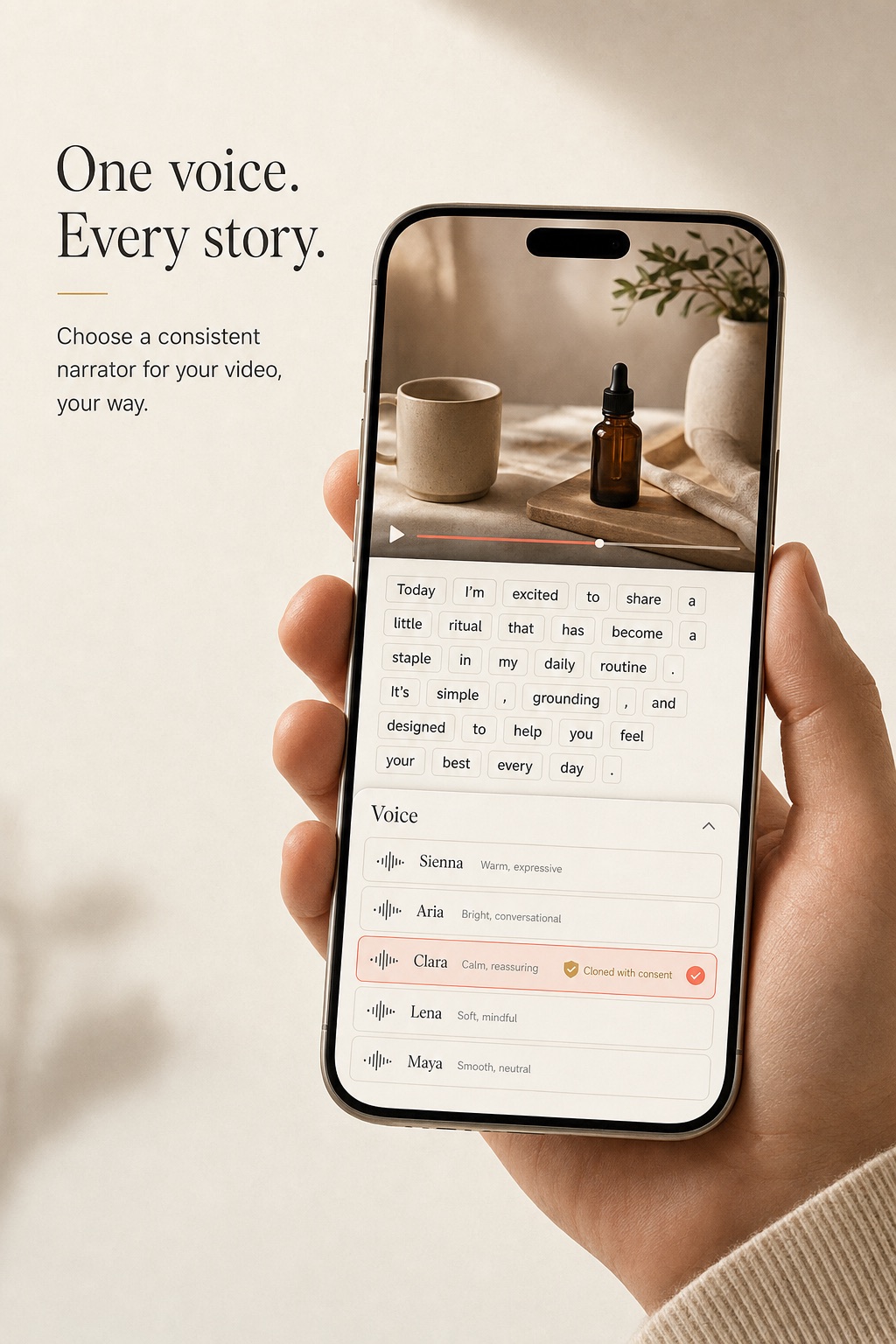
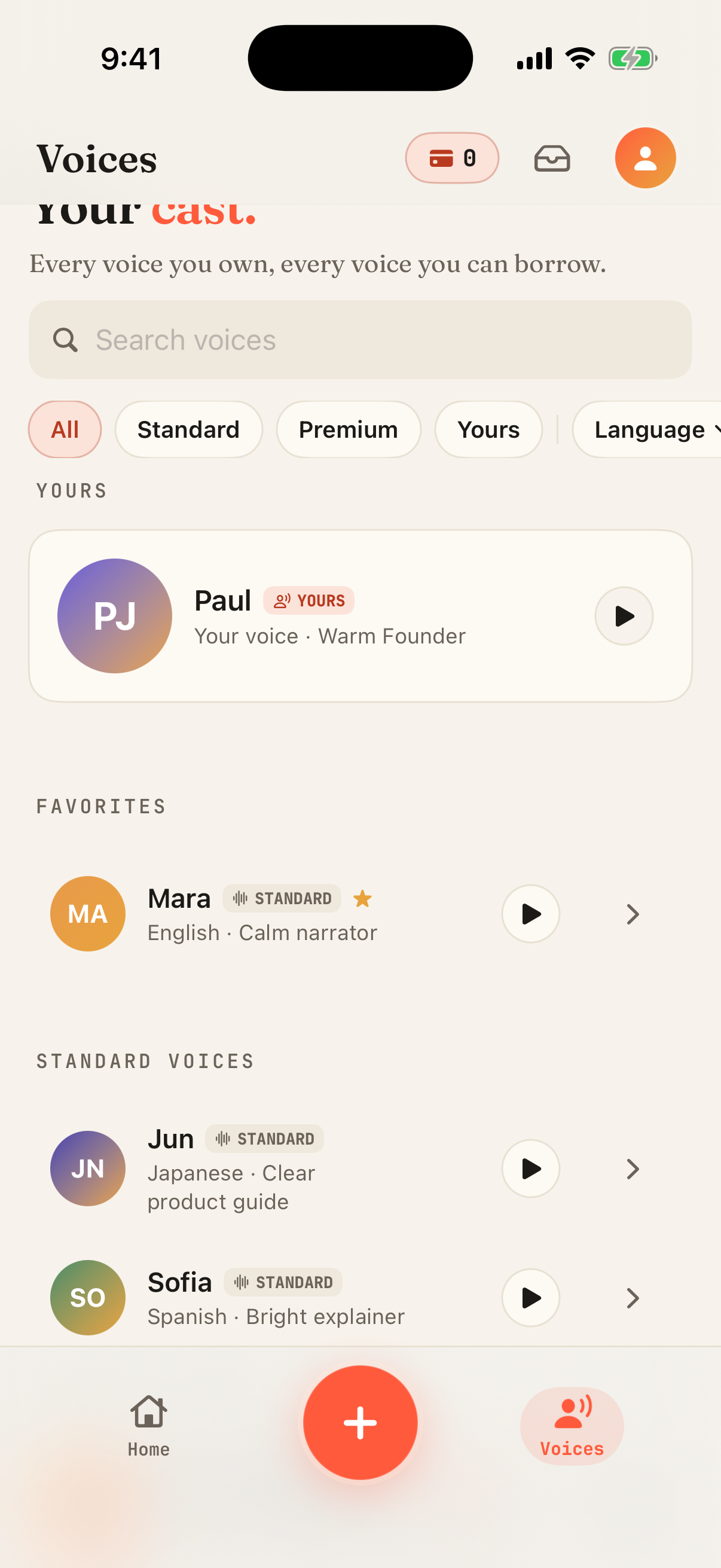
Use a consented voice library for explainers, updates, launch clips, and internal narration.
Record once, edit the words, and export clean narration or a captioned lesson clip.
Canonical edit surface
No scrubbing a waveform hunting for the “umm.” The words you said are the editing surface — tap to seek, select to cut, hold to extend a selection. Silence keeps timing and mutes a breath; Cut gap removes it and closes the space; Polish cleans the line. You edit audio at the speed you read.
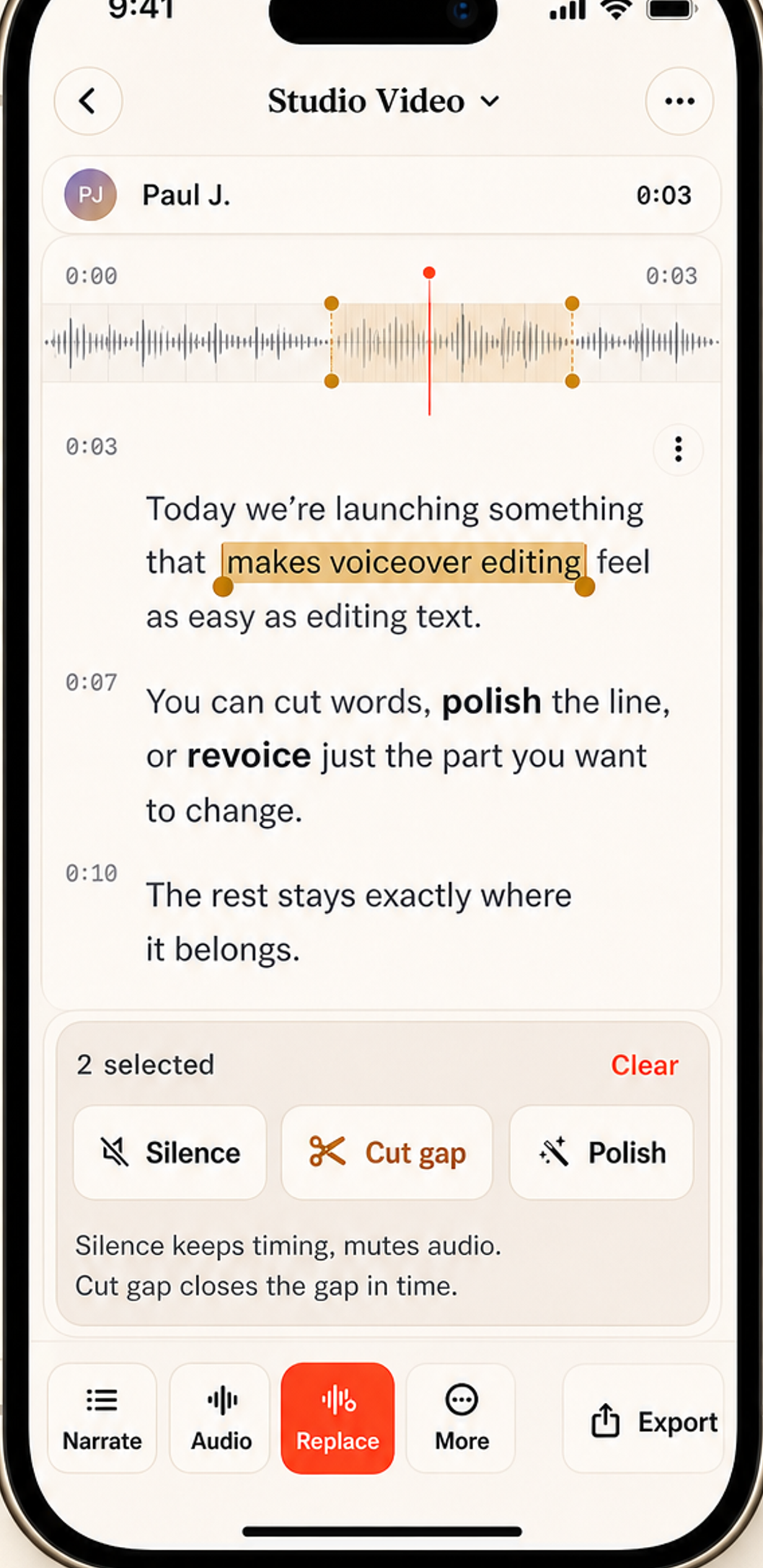
Fix it in the read
A flat delivery, background hiss, one wrong word — fix just the part that’s off, not the whole take. Polish cleans and clarifies the audio; Revoice replaces only the selected phrase in a chosen voice. Everything else stays exactly as you said it — then export clean audio or a captioned 9:16 video.
New for video
Import a clip and its spoken words become the edit surface. Cut filler, fix a flubbed line in the same voice, and export a captioned 9:16 — all on your iPhone. It polishes the voice, not the picture: best for voiceover and narration-over-video.

Real screens, real app
These are current iPhone captures from the app — Home, Create, the document editor, Revoice, Polish, and Voices. No mockups standing in for a product that doesn’t exist.
Now on the App Store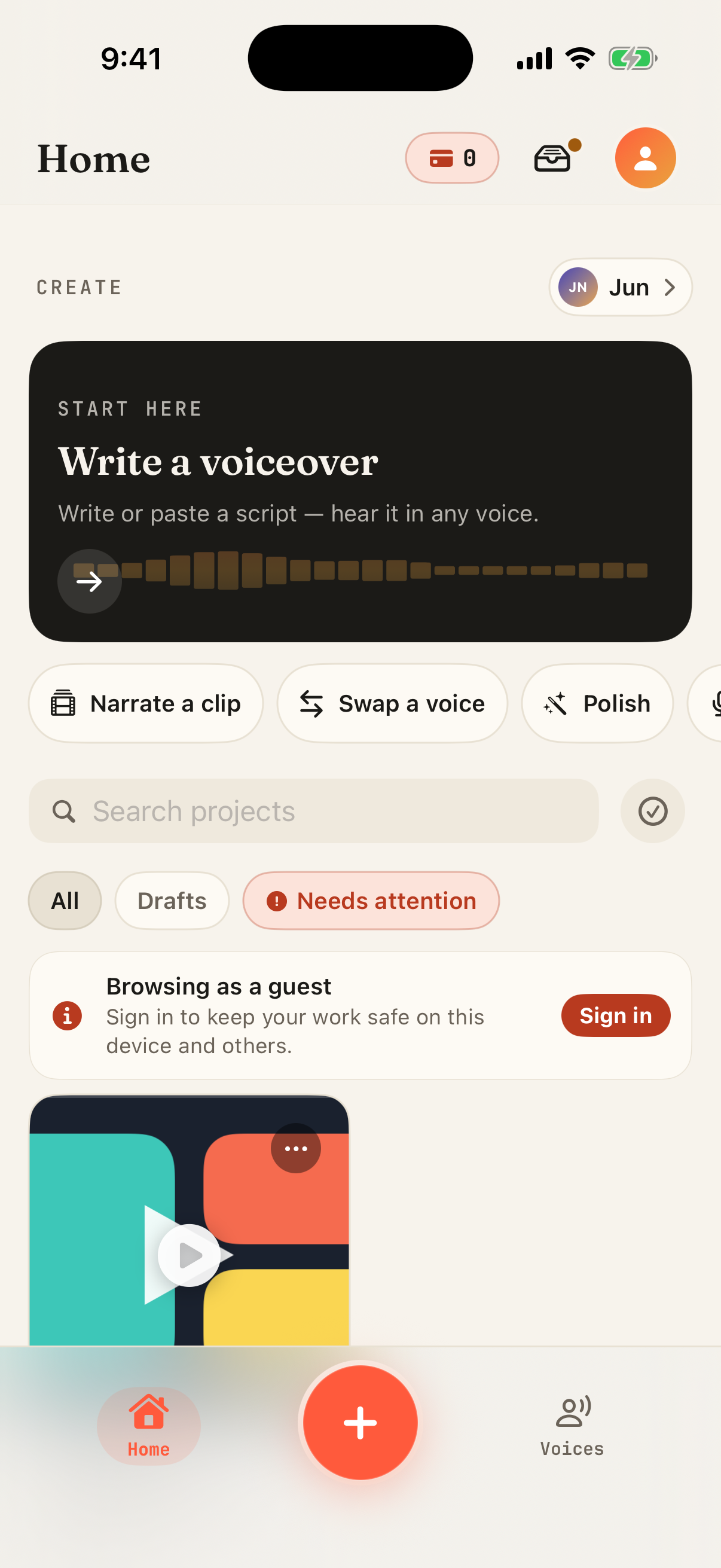
Get the app
Record or import a take, edit the transcript, revoice the parts that are off, and export clean audio or a captioned 9:16 video — all on iPhone. Voice Over AI Studio is on the App Store.
 On iPhone · No ad tracking